C64Whiz

@c64whiz@oldbytes.space

I should be doing #RetroComputing, not the crap I *am* doing.

#Commodore #C64 #Linux #Debian #CKD #CKDSucks

Artificial Idiots ("AI") not welcome.

Actually, yes, worry. Look at the Democrat history to "work across the aisle".

I'm don't believe a democratic president will go full anti-gop and repair all of dipshits failures.

I see them more "going easy to unite the country" and in turn, keeping the people screwed while politicians keep their jobs.

Dave Spector@Dhmspector@mastodon.social

Don’t worry the minute a Democrat is elected president they’ll reverse that decision. Along with every other power only granted to Trump.
Replying to an earlier post

@Axolotl1

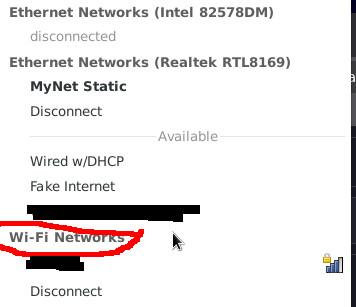
Ok, thank you for that. It doesn't seem Mint is picking up your Wifi hardware.

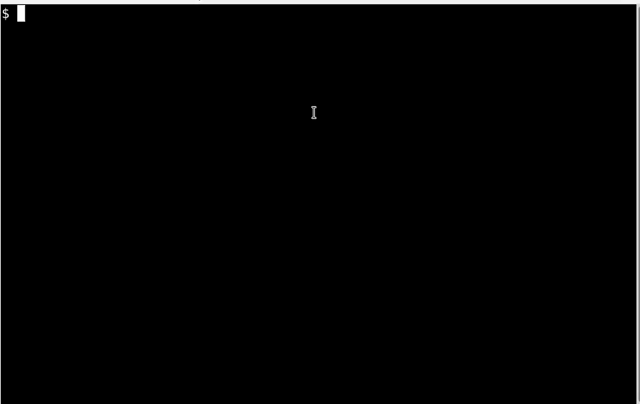
If you'd like, here is a video showing how to take a look via the command line. Open a terminal and then type the same commands.

These commands look at the PCI bus (lspci) and USB device (lsusb) while searching for a couple of terms I've seen before. I leave off the first letter of the terms because sometimes the descriptions use capital and sometime they don't. (You can add the -i switch to grep if you want to perform a case-INsensitive filter and use the entire word 'wireless' and 'network')

In the video, you'll see I have a USB wireless adapter. All the others are Ethernet (wired).

Command synopsis:

$ lspci | grep etwork
$ lspci | grep ireless
$ lsusb | grep etwork
$ lsusb | grep ireless
GIF

Replying to an earlier post

@Axolotl1

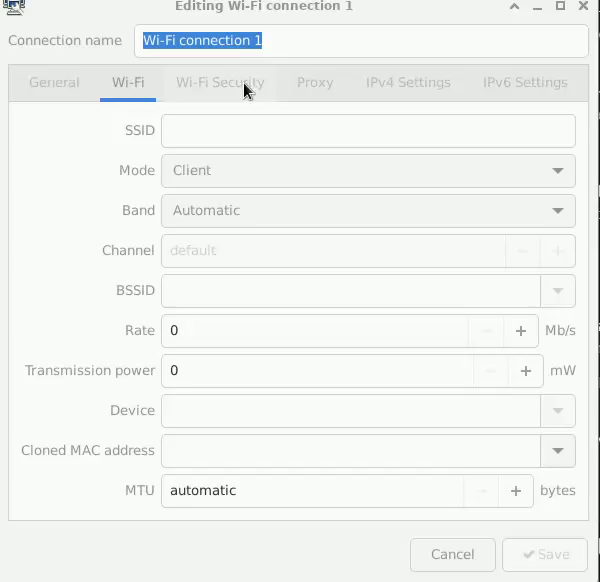
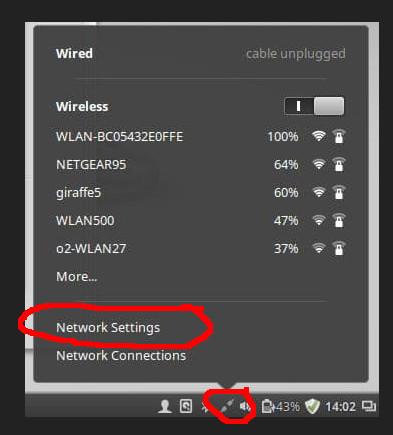
Ok, this will allow us to create the connection, but I'm still not convinced Mint is detecting your HW.

So let's continue...oh, and by the way, since this is a "Live Boot", you'll need to do this every time you boot.

Alright, so you should be able to

  • Specify a connection name, e.g. "My Wifi"
  • On the "WiFi" tab, enter your Wifi's SSID (also known as the SID)
  • Under the "Wifi Security" tab select what security you have on your wifi (I'm guessing "WPA & WPA2 Personal"...newer routers may have WPA3 but I honestly don't know at this point.)
  • At the same time, enter your wifi password.

Finally you should be able to click on the "Save" button.