
GUYS HELP HOW DO I CONNECT A LINUX COMPUTER TO MY FUCKING WIFI I DON'T UNDERSTAND A DAMN THING ABOUT IT
edit: I'm using mint.
GUYS HELP HOW DO I CONNECT A LINUX COMPUTER TO MY FUCKING WIFI I DON'T UNDERSTAND A DAMN THING ABOUT IT
edit: I'm using mint.

Ugh, read through the replies and everyone thinks they have the solution. The short answer is: it depends. Different Linux distros use different methods/tools.
So the first question to be asked is: what Linux distribution are you using?
@c64whiz I'm using mint
Awesome. Now, I don't have experience with Mint but that's Ok.
Next question, are you using the Graphical User Interface (GUI) or are you a Command Line Interface (CLI) person? (Sorry if I'm talking too simple, I just don't know you're experience/skill level.)
@c64whiz I'm using the graphical interface but if necessary I am willing to mess around with the command line. Also you're fine I literally have no idea what I'm doing. If I did we probably wouldn't be here.
Not to worry. Based on your answer I'm going to guess you're using the default GUI - Cinnamon.
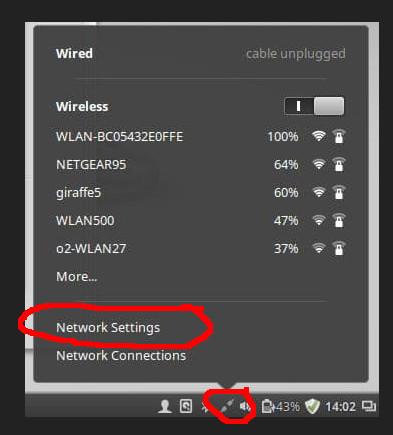
From what I'm seeing online (search), on your desktop environment you should have a "Network Icon" icon on your task bar. Clicking on it should pop up a menu to select "Network Settings".
Is this true and does it work to bring up a dialog with a "Wi-fi" tab?
Replying to @c64whiz@oldbytes.space
Probably looks something like this...
@c64whiz uh
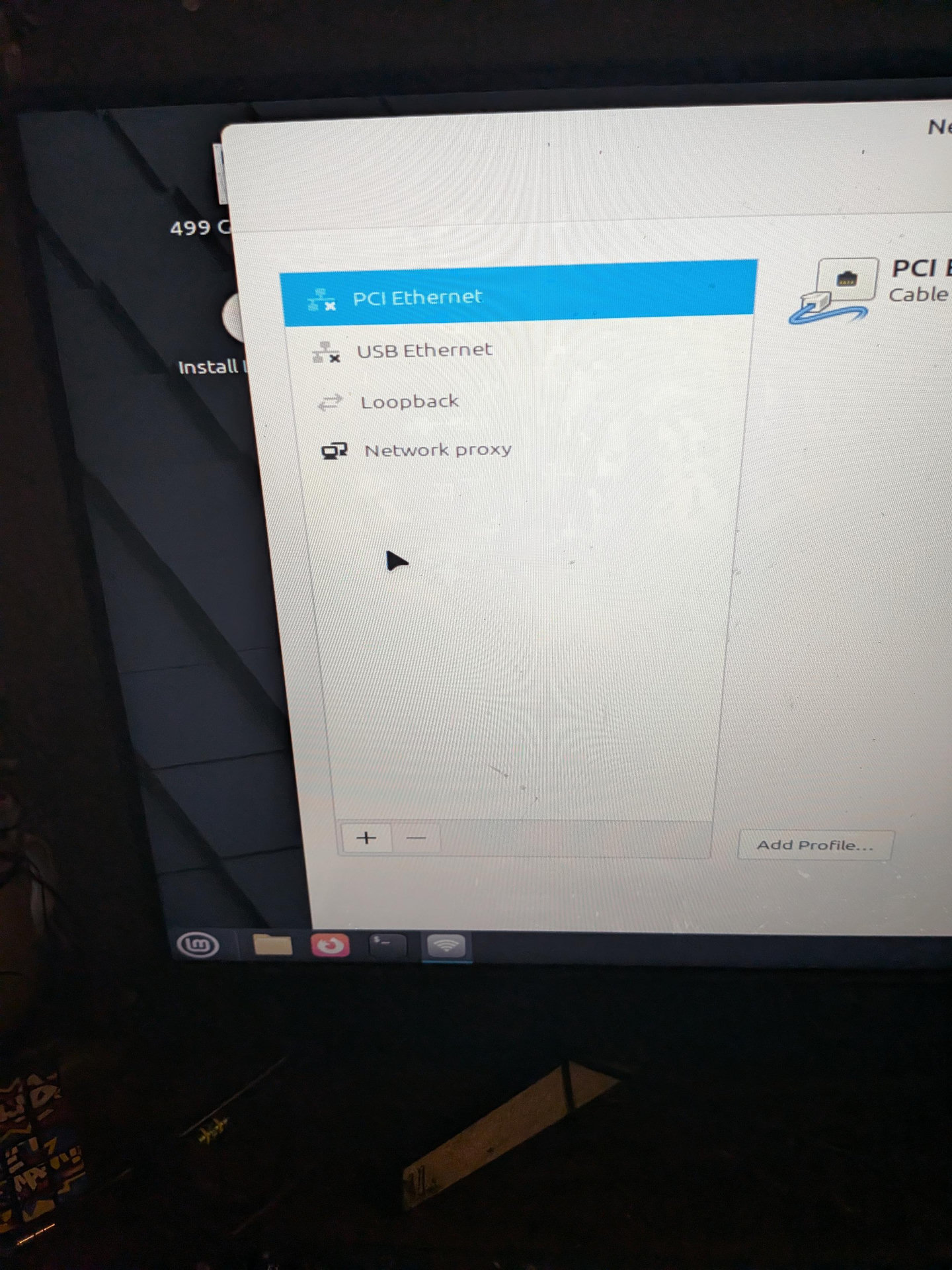
Well a little good news...you're not going crazy, obviously there's not wifi showing up.
Since I'm not real familiar with Mint's GUI, what do you get if you click the '+'?
@c64whiz an add vpn dialogue
Ok, next question, are you currently running Mint via a Live boot? i.e. not yet installed on the computer?